
Free tools & resources
Free tools for flat-rate technicians.
Track your hours, understand your pay, and keep better records — whether you use Flat Rate Tracker or not.
Downloads
Start with a simple hour log.
Free resources you can use to keep your own records, with or without an app.
-
Spreadsheet · XLSX
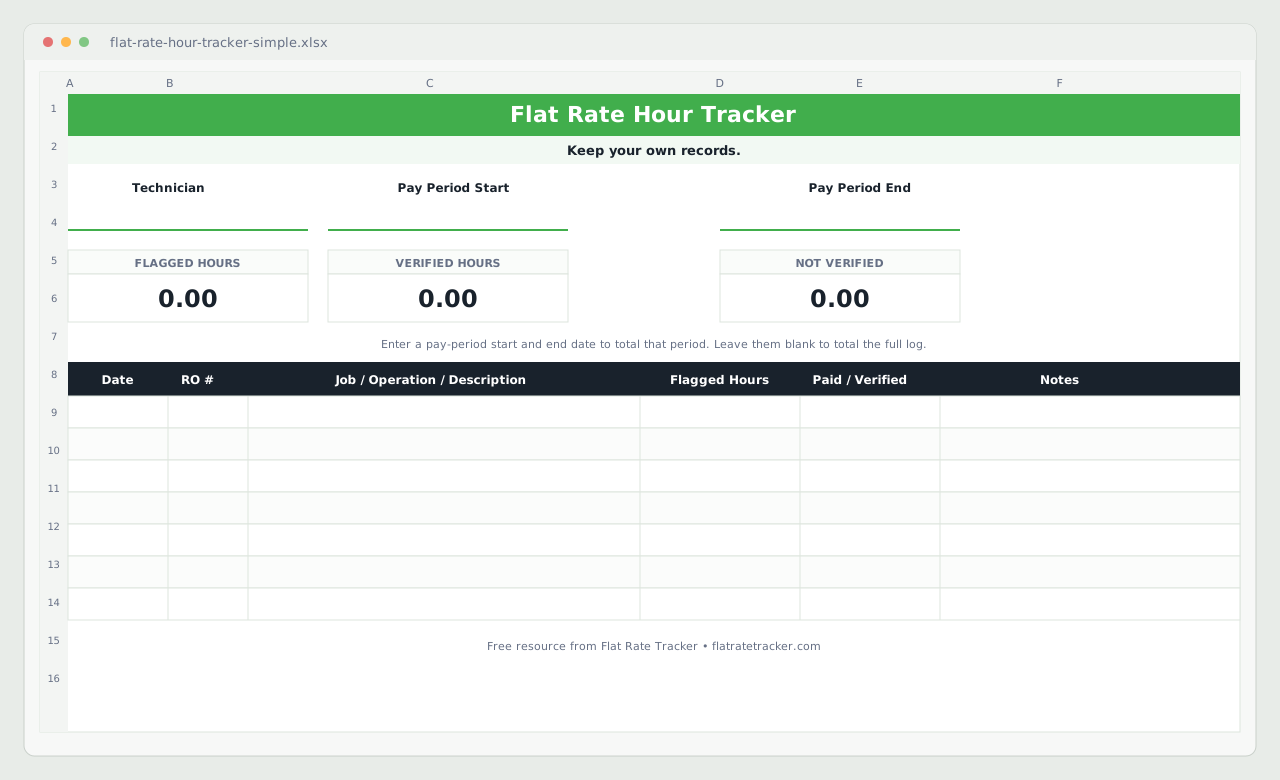
Free Flat Rate Spreadsheet
Track repair orders, flagged hours, and work history in a spreadsheet you can keep for yourself.
Opens in Microsoft Excel or Google Sheets.
Download spreadsheet -
Printable · PDF
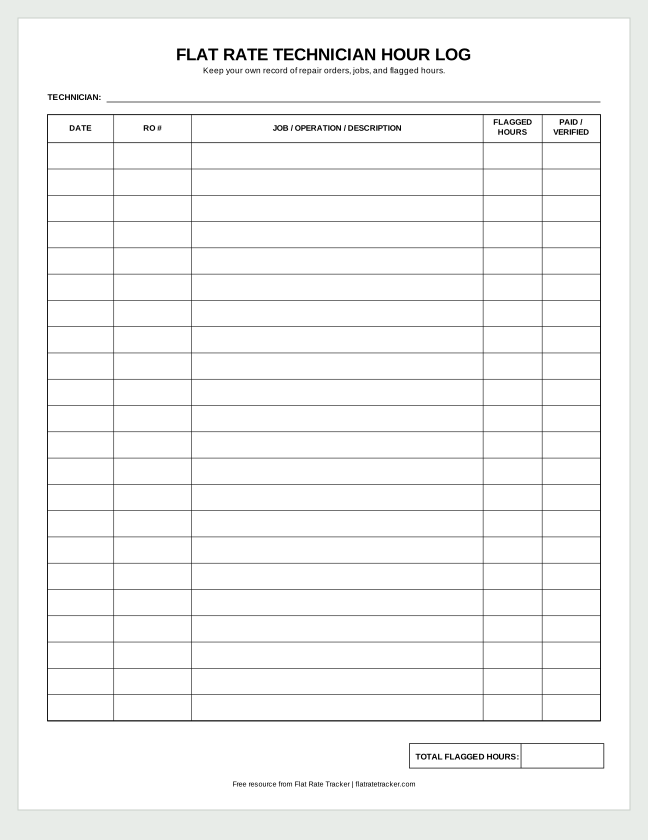
Printable Hour Log
Prefer paper? Print a simple log to record repair orders and flagged hours by hand.
One letter-size page.
Download PDF
Using the spreadsheet
What it tracks
- Technician name and pay-period start and end dates
- Date, RO number, and job or operation
- Flagged hours, paid/verified (Yes/No), and notes
- Flagged, verified, and not-verified hour totals, calculated for you
How to use it
- Open the file in Excel, or upload it to Google Sheets.
- Enter your name. Add pay-period dates to total one period, or leave them blank to total the whole log.
- Add one row per job as you finish it.
- Mark a job Paid/Verified once the hours show up on your paycheck.
Using the printable log
What it tracks
- Technician name
- Date, RO number, and job or operation
- Flagged hours and a paid/verified column
- A total flagged hours line for the period
How to use it
- Print the letter-size PDF and keep it in your toolbox or on a clipboard.
- Write one line per job while the work is fresh.
- At payday, add up your flagged hours and compare them with your pay stub.
Choosing a method
Paper, spreadsheet, or app?
Any of them can keep a personal record. Pick the one you’ll actually keep up with.
When a spreadsheet or printable log makes sense
Both are free, need no account, and work well for a steady number of jobs. Paper suits technicians who would rather not pull out a phone between jobs. The spreadsheet suits anyone already using Excel or Google Sheets who wants the totals calculated for them.
When a tracking app becomes useful
When keeping the file current starts costing more time than it saves. Flat Rate Tracker adds quick phone entry, partial flags across pay periods, expected pay, and searchable history synced to your account, with a 14-day Pro trial. Flat Rate Tracker One is a $9.99 one-time, offline app if you’d rather not subscribe.
Not sure which fits? Compare the two apps.
Calculators
See what your hours are worth.
Flat-Rate Pay Calculator
Estimate gross pay from flagged hours and your flat-rate rate, with optional efficiency and annual projections.
Missed Hours Calculator
Estimate how missed flag hours could affect your earnings over a month or year.
Guides
Understand your hours and pay.
Straightforward explanations of flat-rate work, pay, and keeping your own records.
-
How Flag Hours Work
Learn how flagged labor hours work and how they relate to flat-rate technician pay.
-
Mechanic Time Tracking
Practical ways for individual technicians to track repair orders, flagged hours, and earnings.
-
Check Your Flat-Rate Paycheck
Compare your flagged-hour record with a pay stub and follow up on missing or delayed hours.